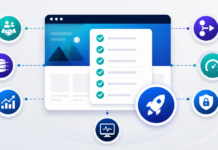
Redesigning a website is never just about colors and layouts, especially if your business runs on an ERP like Microsoft Dynamics 365 Business Central or another core system. Your site probably touches quoting, lead intake, customer self service, support, and analytics. If you jump straight into design comps without preparing the foundations, you risk breaking processes that the business depends on.

This checklist is designed for ERP-focused B2B organizations that want their next redesign to improve both marketing and operations, not just give the homepage a new hero image.
1. Business And Website Goals
Clarify what the redesign is supposed to achieve before anyone opens a design tool.
- List the top three business goals for the redesign, for example increase qualified leads, improve quote turnaround, support a new product line, or reduce manual data entry.
- Identify the primary audiences for the site, prospects, existing customers, partners, or internal users.
- Define success metrics, for example leads per month, self service adoption, time on key pages, or reduced support tickets.
- Agree on what is in scope for this redesign versus later phases, so the project does not expand endlessly.
2. Current Site Inventory And Issues
Understand what you have today so you do not lose important pieces by accident.
- Export a list of all current URLs including landing pages, resources, and portal entry points.
- Identify high value pages that currently drive leads, traffic, or important workflows.
- Document known issues, for example slow performance, confusing navigation, incomplete content, or broken forms.
- Note any technical debt, such as outdated plugins, custom code you do not fully understand, or hard coded tracking scripts.
3. ERP And System Integrations
For ERP driven organizations, this is usually the most important section.
- List all existing integrations between the website and internal systems, for example Business Central, CRM, marketing automation, ticketing, or payment gateways.
- For each integration, note what flows currently exist, such as quote requests into ERP, rental or order data displayed in a portal, or document downloads tied to ERP records.
- Document how integrations are implemented today, for example direct plugin, custom API code, middleware, or manual exports.
- Identify pain points, for example failed submissions, duplicated data, or difficulty troubleshooting errors.
- Decide which integrations must be preserved as is, which need improvement, and which can be retired.
4. Content Strategy And Information Architecture
A redesign is a good time to fix content sprawl and structure, not just re-skin it.
- Group existing pages into logical clusters, services, industries, resources, and support.
- Identify content gaps, for example missing implementation guides, checklists, or integration documentation.
- Decide on a clean top level navigation that reflects how buyers and customers think, not internal org charts.
- Define templates for key page types, such as service pages, resource articles, and integration overviews.
- Prioritize which content needs to be rewritten, lightly edited, or reused as is.
5. SEO And Organic Visibility
You want the redesign to protect and ideally improve your search performance.
- Export current organic traffic and ranking data for key pages and terms.
- Identify which URLs drive most of your organic leads and should be treated carefully.
- Map old URLs to planned new URLs so you can plan redirects rather than losing equity.
- Review titles, meta descriptions, and on page headings for high value content and carry forward what works.
- Decide where new SEO driven content, such as guides and checklists, will live in the new structure.
6. Forms, Workflows, And Lead Handling
Form behavior often changes subtly in a redesign and breaks downstream processes if it is not planned.
- List all current forms, quote requests, contact forms, support requests, and gated downloads, along with their locations.
- Document how each form is processed today, for example email notifications, CRM or ERP integration, or marketing automation workflows.
- Identify which forms will stay, which should be merged or simplified, and which new forms are needed.
- Define where form submissions should be stored in the new setup, including any Gravity Forms or custom tables.
- Plan validation, spam prevention, and reCAPTCHA behavior so you do not introduce friction or security holes.
7. Analytics, Tracking, And Reporting
If you change markup and URLs without updating analytics, your reports will not make sense after launch.
- Confirm your GA4 property, data streams, and tag manager setup are documented and accessible.
- List current conversion events, for example form submissions, quote requests, portal logins, and key downloads.
- Note where tracking depends on specific CSS selectors, IDs, or URL patterns that will change in the redesign.
- Decide which events and goals need to be updated or rebuilt in the new site.
- Plan how you will compare pre-launch and post-launch performance, including baseline metrics.
8. Performance, Hosting, And Environments
A new design is an opportunity to improve performance and infrastructure, rather than just adding more weight.
- Review current hosting and whether it meets your needs for uptime, support, and environments such as staging and development.
- Assess current Core Web Vitals and major performance issues such as large images, blocking scripts, or plugin bloat.
- Decide on a performance budget for the new site, for example target LCP and INP ranges for key pages.
- Confirm environment strategy, for example production, staging, and local development, and how deployments will be handled.
- Plan caching, CDN, and image handling for the redesigned theme.
9. Security, Compliance, And Access
Changes to theme and plugins can affect your security posture.
- Review current user roles and who has administrator access to WordPress, hosting, and key services.
- Audit installed plugins and themes for age, update history, and necessity. Remove anything that is obsolete or unmaintained.
- Ensure your redesign plan includes a path away from vulnerable or abandoned plugins.
- Confirm that consent management and privacy notices are up to date and compatible with the new design.
- Plan how environment access will be managed for designers, developers, and content editors during the project.
10. Content Migration And Redirects
The less you plan here, the more stressful launch week becomes.
- Decide which content will be migrated automatically and which will be rebuilt manually in new templates.
- Create a URL mapping spreadsheet that pairs each old URL with its new destination.
- Specify redirect rules, preferring one-to-one permanent redirects for important pages.
- Plan for internal link updates so navigation, menus, and in-content links point to the new structure.
- Schedule time for QA of redirects and content after migration but before launch.
11. Launch Planning And Post Launch Checks
A structured launch plan reduces surprises for both visitors and internal teams.
- Identify a launch window that avoids major campaigns, peak seasons, or other high risk periods.
- Create a checklist for launch day tasks, for example enabling redirects, updating DNS, clearing caches, and verifying certificates.
- Define post launch checks, including forms, integrations, analytics events, and key user journeys on desktop and mobile.
- Decide how issues will be reported and triaged in the first days after launch.
- Schedule a post launch review to capture lessons learned and to prioritize follow up improvements.
12. Stakeholders And Communication
Because the site touches both marketing and operations, alignment matters.
- List all stakeholder groups, for example marketing, sales, operations, finance, IT, and customer service.
- Assign clear roles, such as project sponsor, day to day lead, subject matter experts, and approvers.
- Set expectations about review cycles, who signs off on what, and how feedback will be handled.
- Plan how you will communicate changes to internal users and customers as launch approaches.
- Make sure at least one person understands both the web stack and the ERP or core systems so integration decisions are made with full context.
How Elephas Supports ERP-Focused Website Redesigns
For organizations that rely on Business Central or other ERPs, a website redesign is partly a brand and UX project and partly an integration and architecture project. Elephas sits in that overlap.
- We help clarify goals, audiences, and metrics so the redesign supports real business outcomes.
- We document and redesign integrations between WordPress, Business Central, and related systems so you gain reliability instead of losing it.
- We plan content structure, SEO, and performance with a B2B lens, not just a visual one.
- We design deployment, migration, and launch processes that fit your hosting and governance model.
The end result is a website that looks modern and performs well, but also plays nicely with the systems that run your business, so the redesign feels like an upgrade for both marketing and operations.
Related reading: Continue with business-critical website launch checklist and ERP integration readiness checklist.