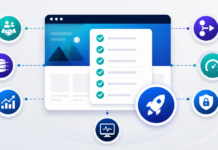
This checklist is for B2B teams that want trustworthy analytics instead of mystery numbers. It walks through the decisions and setup steps required to track leads, form submissions, and key actions on a B2B site using tools like Google Analytics, Google Tag Manager, and your CRM or ERP integrations.

1. Align on Goals And Owners
Before you touch any tags, confirm what you are measuring and who is responsible for it.
- List your primary website goals, for example qualified leads, demo requests, quote requests, logins, resource downloads.
- Identify secondary goals such as newsletter signups, webinar registrations, or content engagement.
- Assign an owner for analytics configuration and an owner for reporting and interpretation. These may be different people.
- Decide which systems are sources of truth for leads and revenue, for example CRM or ERP rather than just the analytics tool.
2. Inventory Key Pages And Conversion Points
Analytics should reflect the structure of your site and your funnel.
- List high intent pages, for example pricing, service pages, industry pages.
- List all lead forms, quote forms, and contact forms with their URLs and form IDs.
- Identify thank you pages or confirmation states for each form.
- Note any other important interactions, for example clicks on phone numbers, email links, or chat widgets.
3. Set Up Or Verify Your GA4 Property
Most B2B sites will use Google Analytics 4 for behavioral data.
- Create or confirm your GA4 property and web data stream.
- Check that the correct domain and any subdomains are configured.
- Review data retention settings and adjust if you need longer histories for B2B cycles.
- Link GA4 to Google Search Console and Google Ads if applicable.
4. Create A Tag Manager Container
Tag managers make it easier to manage scripts without editing theme files constantly.
- Create a container in Google Tag Manager or your chosen tag manager for the main website.
- Install the container code in your WordPress theme or via a lightweight plugin.
- Confirm that the container loads on all public pages and that preview mode works.
- Plan which tags will live in the tag manager versus directly in templates, for example critical consent banners may stay in code.
5. Define Events And Conversions For A B2B Funnel
Events should mirror your lead journey, not just random clicks.
- List standard events such as page_view and scroll_depth that may already be collected.
- Design custom events for form submissions, quote requests, demo requests, and key resource downloads.
- Agree on naming conventions, for example
lead_form_submit,quote_request_submit,resource_download. - Map each custom event to a GA4 conversion where it represents a meaningful step in the funnel.
6. Implement Form Tracking
For most B2B sites, forms are the main conversion mechanism.
- For WordPress forms such as Gravity Forms, identify form IDs and confirmation behaviors.
- Decide if you will track via thank you page views, form submission events, or both.
- In your tag manager, set up triggers that fire on successful form submissions, not just button clicks.
- Send structured event parameters, for example form_name, lead_type, or service_interest, to support better reporting.
7. Set UTM And Channel Naming Standards
Without consistent campaign tags, channel reports get messy fast.
- Define standard values for
utm_source,utm_medium,utm_campaign, and optionallyutm_content. - Create a simple reference sheet so sales and marketing use the same terms for email, paid social, paid search, and partner referrals.
- Document how offline campaigns or sales generated links should be tagged.
- Store this standard in a shared location so new campaigns stay consistent over time.
8. Connect Analytics To CRM Or ERP Where Possible
B2B decisions rarely happen in one session. Stitching analytics to CRM or ERP data helps you evaluate the full funnel.
- Decide which identifiers can bridge systems, for example form hidden fields for campaign codes or CRM lead IDs.
- Explore CRM integrations or exports that let you tie closed deals back to original channels or campaigns.
- Align definitions of a qualified lead and opportunity between marketing and sales so metrics match CRM stages.
- Ensure any server side tracking or integrations respect consent and privacy choices.
9. Implement Consent And Privacy Controls
Analytics should respect user choices and regional regulations.
- Choose a consent banner or preference center approach that fits your legal requirements.
- Decide which scripts are strictly necessary versus analytics or marketing categories.
- Configure your tag manager or template logic so analytics tags only fire when consent is granted where required.
- Update your privacy policy to explain what you collect, why, and how users can manage their data.
10. QA The Implementation
Before you trust any numbers, test the setup end to end.
- Use tag manager preview mode or browser developer tools to confirm events fire as expected.
- Submit test leads through each important form and verify that events and conversions appear in GA4 debug and real time views.
- Check that channel and campaign information flows correctly, including UTM parameters.
- Confirm that consent choices block or allow analytics scripts as designed.
- Test across key browsers, devices, and typical user flows such as mobile visitors landing on ad driven pages.
11. Set Up Dashboards And Regular Reviews
Tracking is only useful if someone looks at it and acts on it.
- Define a small set of core metrics for leadership, for example qualified leads by channel, cost per lead, and conversion rate by key pages.
- Set up dashboards in GA4, Looker Studio, or your BI tool that show these metrics without constant manual exports.
- Schedule a recurring review, for example monthly, to walk through trends and anomalies with sales and marketing.
- Capture questions that analytics cannot yet answer and feed them back into your tracking roadmap.
How Elephas Can Help
Elephas sits at the intersection of B2B web, analytics, and back office systems. That means we can help you set up tracking that works across the full lead journey, not just the landing page.
- We translate your sales and marketing process into a clear event and conversion model.
- We implement GA4 and tag manager setups that are tailored to B2B lead funnels, not generic ecommerce defaults.
- We connect website events to CRM or ERP data where appropriate so you can see which channels drive real opportunities.
- We document the setup and train your team so you can maintain and extend tracking without starting over each time.
The result is analytics you can rely on when you make decisions about campaigns, content, and website changes, instead of dashboards that look impressive but do not match what is happening in the business.
Related reading: Continue with GA4 guide for B2B websites and consent-based script loading.